What does radiology PACS software do?
Radiology PACS software receives, stores, retrieves and displays DICOM medical imaging studies. PACS stands for Picture Archiving and Communication System. It keeps patient, study, series and modality details organised so authorised users can find the correct examination and connect it to the reading and reporting workflow.
RDx combines a local PACS server, DN Viewer for Windows and Mac, worklists and radiology reporting tools. Optional cloud access supports remote readers. This is different from a standalone DICOM viewer, which opens images but does not by itself provide your centre’s complete archive and shared workflow.
Radiology PACS software features: storage, viewer and reporting
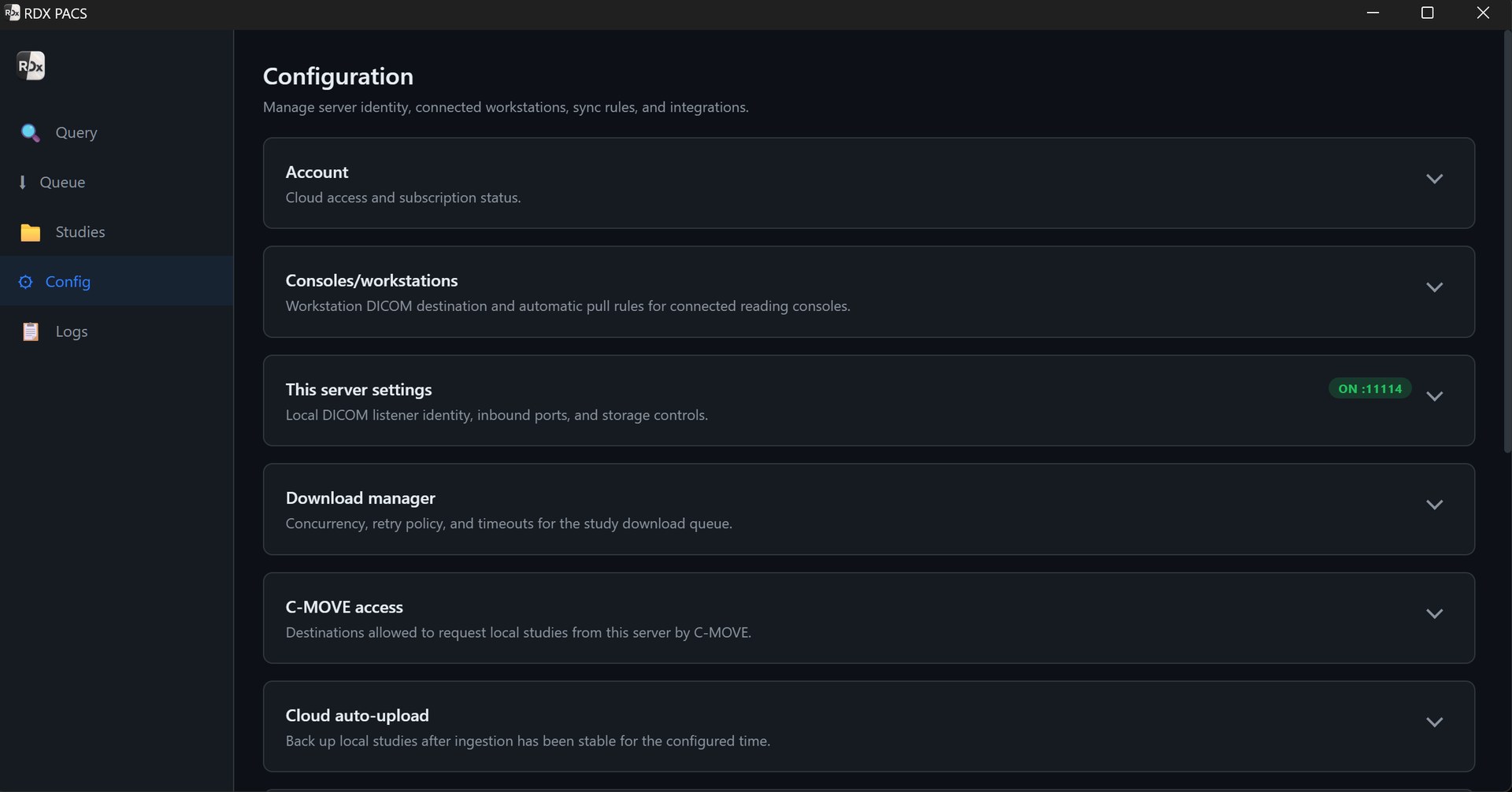
DICOM reception and storage
Receive supported studies from DICOM-capable modalities or acquisition workstations. Plan local archive capacity around your study volume, image sizes, prior archive and retention requirements.
Windows and Mac DICOM viewer
Open studies in DN Viewer with window/level controls, zoom, pan, measurements, annotations and prior comparison. The desktop viewer is included with the local server plan.
MPR, MIP and 3D reconstruction
Use cross-sectional imaging tools with suitable CT/MRI studies. Evaluate navigation, reconstruction and comparison on representative examinations and your proposed workstation.
Worklists and radiology reporting
Follow studies through review and reporting. Prepare text with templates beside the images and produce the final PDF on your centre’s letterhead.
Role-based team access
Set up separate roles for radiologists, front desk staff and typists. Check which studies and report actions each role can access before daily use.
Optional remote access and AI
Add cloud access for uploaded studies when readers work away from the centre. AI reporting and speech-to-text are separate paid services; radiologists review and sign every report.
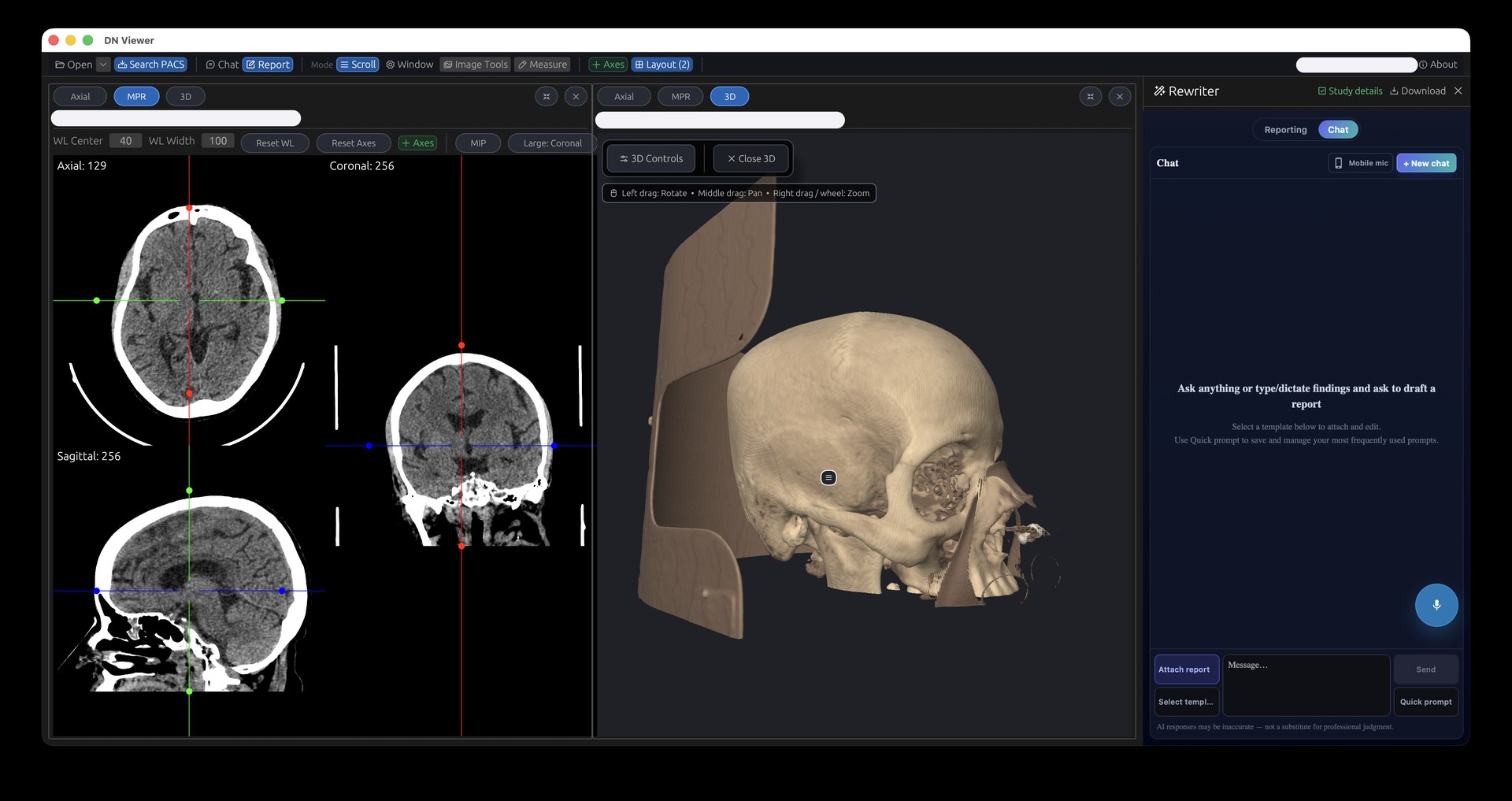
From DICOM study to signed radiology report
- Receive the examination. Connect the modality or acquisition workstation to your local PACS destination. Verify the patient identifier, study date and all expected series.
- Find the study in the worklist. Confirm the examination and the reader’s access. Agree how pending, in-progress and completed work is handled by your team.
- Review current and prior images. Open the study in the included desktop viewer, make measurements and compare available prior imaging. Test large examinations on the intended hardware.
- Prepare and approve the report. Use templates and the reporting workspace. Optional dictation and AI-assisted drafts can help prepare text; the radiologist checks findings, edits and signs.
- Deliver and retain the result. Check the final PDF, centre letterhead, authorised access and the agreed storage, backup and retrieval process.
For radiography-only workflows, see X-ray PACS software for CR/DR centres. For dictation and drafting options, read about AI-assisted radiology reporting in India.
Local, cloud and hybrid PACS for radiology teams
The local RDx server receives imaging studies at the centre. Local access depends on the server, storage, LAN and power remaining available. Add optional cloud access when your authorised radiologists need to read uploaded cases from other locations.
Remote access requires completed uploads, the appropriate reader accounts and internet connectivity. A remote radiologist cannot open a case that has not reached the remote archive. Test normal and large study uploads, reporting and the local workflow during an internet interruption.
See the Cloud PACS service for India for remote access, storage and retention details, or compare cloud, on-premise and hybrid PACS for bandwidth and deployment planning.
PACS software for hospitals, diagnostic centres and teleradiology
- Hospitals: connect modality reception, radiologist access, reporting and on-call reading. Review the hospital PACS workflow and confirm department roles and existing-system requirements.
- Diagnostic centres: start with one local server and the included viewer, then add services as your workload changes. See PACS for diagnostic and imaging centres.
- Diagnostic chains: discuss branch separation, reader access, study routing and capacity for each location. Plan your multi-centre radiology workflow before quoting the rollout.
- Teleradiology teams: agree client and radiologist access, worklists and report delivery across organisations. Explore PACS for teleradiology providers. Radiologist staffing and reporting-service commitments are separate from the software subscription.
Radiology PACS software price in India
RDx PACS starts at ₹999/month for one local server at one site, with the Windows and Mac desktop viewer included at no additional viewer charge. Cloud access starts at ₹499/month for the starting 100 GB option. AI reporting with speech-to-text starts at ₹699/month per radiologist.
| Setup | Starting total | Included in this example |
|---|---|---|
| Local PACS | ₹999/month | Local server, Windows/Mac viewer, reporting tools and role-based access. |
| Local PACS + cloud | ₹1,498/month | Local plan plus the starting 100 GB cloud option. |
| Local PACS + AI | ₹1,698/month | Local plan plus AI reporting and speech-to-text for one radiologist. |
| Local PACS + cloud + AI | ₹2,197/month | Local plan, 100 GB cloud option and AI with speech-to-text for one radiologist. |
Expanded storage, additional AI radiologists and other selected services change the total. Local hardware, backup arrangements and internet access also need to be budgeted. Confirm usage allowances, setup scope and applicable taxes. Review PACS pricing and plan inclusions or discuss your requirements.
Cloud retention options start at three years. Choose enough capacity for your workload and retention period; the starting 100 GB cloud option is not an unlimited archive. Confirm the selected plan’s retention policy and service terms separately from local storage and backup requirements.
How to compare radiology PACS software before buying
- Use your own study types: send a complete CT, MRI, X-ray or ultrasound examination and verify image count, series, identifiers and viewer behaviour.
- Test the reporting path: check templates, typist access, radiologist approval, corrections, letterheads and the final PDF.
- Confirm local and remote dependencies: test upload completion and remote viewing, and record what remains available during internet or workstation downtime.
- Separate included and optional costs: compare the server, viewer, cloud capacity, AI users, hardware, support, migration and expansion in the actual quote.
- Review access and recovery: agree user roles, account removal, access records, backups, restore steps and export requirements.
PACS software vs RIS or hospital management software
PACS focuses on imaging storage, access and viewing. A RIS manages radiology operations such as scheduling, and a HIS covers wider hospital processes. RDx includes reporting tools, but a complete RIS, registration or billing replacement and specific HIS/EMR interfaces should not be assumed to be included. Share your existing systems so integration scope and compatibility can be assessed.
Radiology PACS installation and setup support in India
Share your modalities, study volume, reading locations, workstation details and prior archive requirements with the RDx PACS provider and setup team. Installation planning covers the local hardware, DICOM network settings, user roles, reporting templates and any optional remote workflow.
Before go-live, send a representative study from each modality, open it on the intended workstation and complete a sample report. Agree archive migration, support contacts, backup responsibilities and recovery steps. Confirm installation timing after reviewing your equipment. Use the PACS setup checklist for the discussion.
Radiology PACS software questions
What does radiology PACS software do?
Radiology PACS software receives, stores and retrieves DICOM imaging studies and makes them available to authorised users for viewing and reporting. RDx combines a local PACS server, the Windows and Mac desktop viewer, worklists and reporting, with optional cloud access for remote readers.
How much does radiology PACS software cost in India?
RDx PACS starts at ₹999/month for one local server at one site, including the Windows and Mac desktop viewer at no additional viewer charge. Optional cloud access starts at ₹499/month for 100 GB. AI reporting with speech-to-text starts at ₹699/month per radiologist. Confirm applicable taxes and selected-plan terms.
Is the DICOM viewer included in the PACS plan?
Yes. The starting local PACS Server plan includes the Windows and Mac desktop viewer at no additional viewer charge. Confirm workstation specifications, storage and display requirements for your study types before installation.
Can PACS support both on-site and remote radiologists?
Yes. Local studies are accessed through the centre’s server and network. Optional cloud access makes uploaded studies available to authorised remote readers. Remote access requires internet connectivity and completed uploads. Confirm reader accounts and the reporting workflow during setup.
Which imaging modalities can connect to PACS?
DICOM-capable CT, MRI, X-ray, CR/DR, ultrasound and mammography equipment, or their acquisition workstations, can send supported studies to PACS. Confirm DICOM export and equipment configuration, then test a complete representative study from each modality.
Does RDx PACS include reporting, dictation and AI?
The local PACS plan includes reporting tools, templates and final report output. AI reporting and speech-to-text are optional paid services from ₹699/month per radiologist. AI-assisted drafts require radiologist review, editing and final sign-off.
Does PACS replace our RIS, HIS or billing software?
PACS primarily handles imaging storage, access and viewing. RDx also provides reporting tools, but a complete RIS, hospital system, scheduling, billing or a specific integration should not be assumed to be included. Share the existing systems and required interfaces so compatibility and project scope can be assessed.
Can we use PACS without cloud storage?
Yes. Start with the local PACS server and included Windows/Mac viewer. Local access depends on the server, storage, LAN and power remaining available. Add cloud access when you need remote readers; internet-dependent services require connectivity.
How do we choose storage and retention for PACS?
Size local storage and cloud capacity separately using study volume, representative study sizes, prior archives and the required retention period. The starting cloud option provides 100 GB with expandable capacity; retention options start at three years. Confirm the selected plan’s retention policy, backups and restoration process.
How do we arrange PACS installation at our centre?
Share your modalities, daily study volume, workstation details, reading locations and existing archive requirements with the RDx setup team. Confirm hardware and modality connections, test the study-to-report workflow, and agree onboarding scope, support contacts and installation timing before go-live.
See the PACS workflow on your own studies.
Tell us your modalities, daily study count and where your radiologists read. We’ll help you confirm the local server, viewer and optional services for your centre.
Discuss my PACS setup ↑Product information is supplied by Tanj Itech Private Limited, provider of RDx PACS for India.