What is a cloud based PACS system?
A cloud based PACS system stores, organises and retrieves medical imaging studies through managed remote infrastructure. PACS stands for Picture Archiving and Communication System. It keeps DICOM patient, study, series and modality information together so authorised teams can find images and connect them to the reporting workflow.
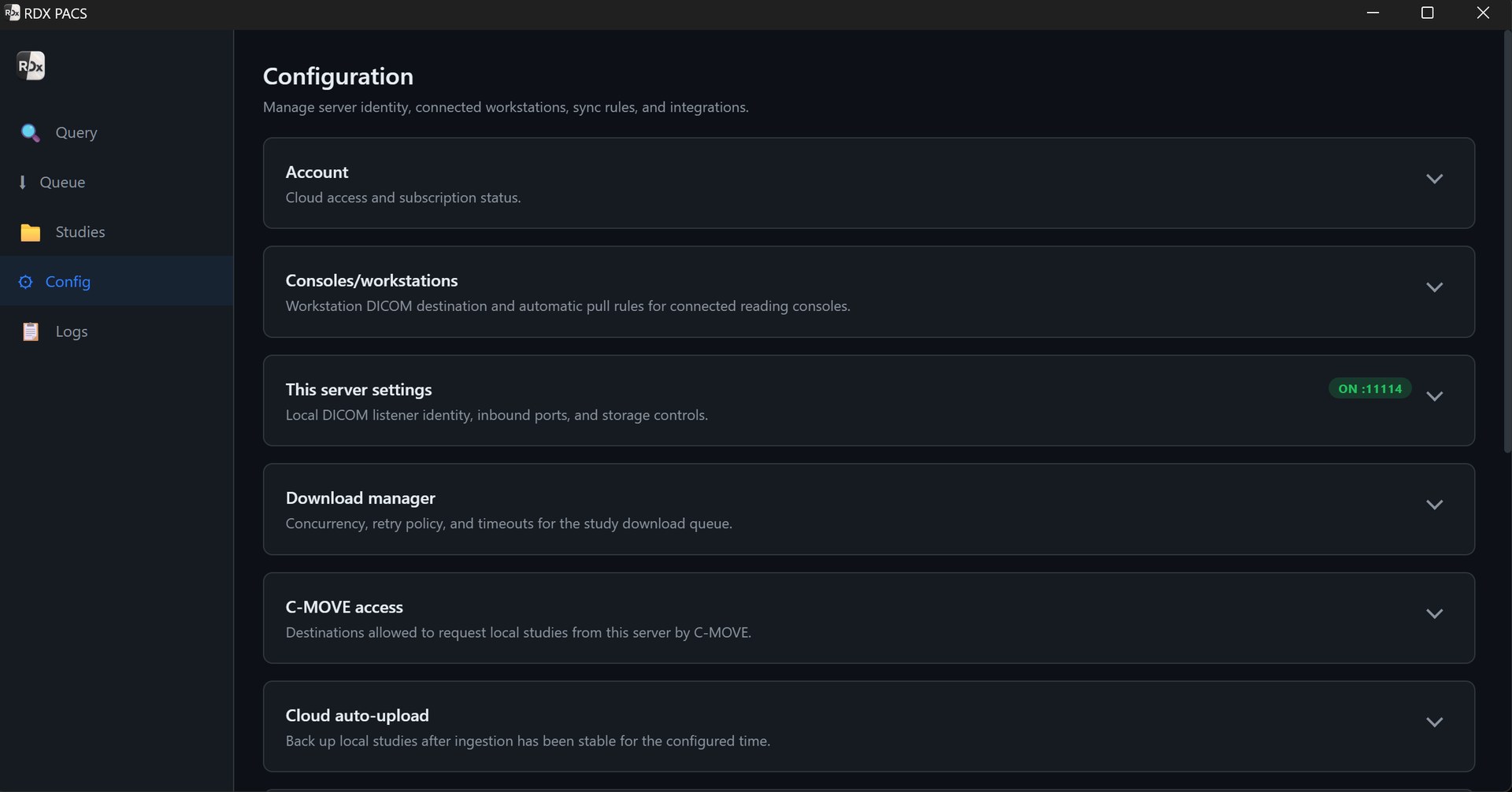
RDx cloud PACS software uses a hybrid setup: a local server receives studies at your centre, and optional cloud access makes uploaded studies available to remote readers. Local viewing depends on the centre’s server and network; remote access depends on internet connectivity and completed uploads. Read more about how hybrid PACS connects local and remote reading.
How the RDx cloud PACS workflow works
- Receive DICOM images locally. Configure your DICOM-capable CT, MRI, X-ray or ultrasound equipment, or its acquisition workstation, to send studies to the local RDx PACS server. Confirm compatibility with a complete test examination.
- Upload studies for remote access. Configure cloud auto-upload rules and check that every required series has arrived before assigning urgent remote work.
- Open studies in the viewer. Use the included Windows or Mac desktop viewer for image review, measurements and reporting. Evaluate MPR, MIP, 3D reconstruction and prior comparison with your own CT/MRI studies.
- Report and approve. Prepare reports with templates and the reporting workspace. Optional speech-to-text and AI-assisted drafts cost extra; the radiologist reviews, edits and signs the final report.
- Return the report to the centre. Check case status, authorised access and the final PDF on your centre’s letterhead during onboarding.
Cloud PACS features for Indian radiology teams
- Encrypted DICOM cloud storage: keep uploaded examinations organised as imaging studies rather than loose files in a consumer drive.
- Remote radiology access: let authorised readers access uploaded studies away from the acquisition site, with the required accounts, viewer and connectivity.
- Local and remote workflows: receive and view locally while adding cloud access for visiting consultants, branch teams or after-hours reading.
- Viewer and reporting: the local PACS plan includes the Windows and Mac desktop viewer, reporting tools and role-based access for radiologists, front desk staff and typists.
- Expandable capacity: start the cloud option at 100 GB and choose additional capacity for your caseload and retention needs.
RDx provides the imaging platform and setup support for teams in India. Cloud PACS for teleradiology enables your remote-reading workflow; radiologist staffing, reporting coverage and turnaround commitments are separate requirements to arrange.
Who can use cloud PACS in India?
Hospitals and diagnostic centres
Connect your centre’s acquisition and reporting workflow, then add online PACS access when consultants read remotely. See the setup guides for hospital PACS and diagnostic and imaging centres.
Diagnostic chains and teleradiology teams
Plan study access, reader roles and report delivery across locations. Discuss your multi-centre PACS requirements or teleradiology provider workflow before choosing capacity and users.
Cloud PACS pricing in India
RDx cloud access starts at ₹499/month for 100 GB. It is an optional add-on to the local PACS Server from ₹999/month for one server at one site. The combined starting total is ₹1,498/month. The desktop viewer for Windows and Mac is included at no additional viewer charge.
| Configuration | Monthly starting price | Scope |
|---|---|---|
| Local PACS Server | ₹999 | One local server at one site; Windows/Mac viewer included. |
| Cloud access add-on | + ₹499 | Starting 100 GB cloud option; requires the local PACS plan. |
| Server + cloud access | ₹1,498 | One local server and the starting 100 GB cloud option. |
| Server + cloud + AI | ₹2,197 | One local server, 100 GB cloud option and AI reporting with speech-to-text for one radiologist (+ ₹699). |
Expanded cloud storage and additional AI radiologists change the total. Confirm hardware, storage capacity, selected-plan terms and applicable taxes. Compare PACS plans and inclusions or discuss your cloud PACS setup.
DICOM cloud storage, capacity and retention
The starting cloud option provides 100 GB of storage. Retention options start at three years; choose sufficient capacity for the studies you need to retain and confirm the selected plan’s retention policy and service terms. A retention period is separate from capacity, and 100 GB is not an unlimited archive.
Estimate storage using studies per day, representative study sizes and the retention period. For example, 50 studies/day averaging 20 MB produce about 30 GB in a 30-day planning month, before database overhead, growth or backup copies. Large CT/MRI examinations can consume considerably more space than small radiographs. Estimate cloud storage and upload time with your own workload.
Agree how old studies are retrieved, how capacity expands, what happens at the storage limit and how local copies are managed. Include deletion behaviour, exports and restoration in your backup plan.
Cloud PACS vs on-premise and hybrid PACS
A cloud-only PACS relies on remote infrastructure for imaging access. An on-premise PACS keeps the archive at the centre and needs a separate remote-access design. A hybrid PACS combines local reception and viewing with cloud access for uploaded studies. The right choice depends on where your team reads, study sizes, connectivity and recovery needs.
RDx uses the hybrid approach. Locally stored studies can remain accessible when the local server, LAN, storage and power are working; internet outages affect cloud uploads and remote access. Compare these dependencies using the cloud vs on-premise PACS guide for India and test the workflow with a representative study.
Cloud PACS setup and support for your centre in India
Share your modalities, study volume, reading locations and retention requirements with the RDx PACS provider and setup team. We can help confirm the local hardware, cloud option and installation timing for your centre.
- Check modality connectivity. Confirm DICOM export, equipment settings, AE title, IP address and port. Send a complete study from each modality.
- Test real upload conditions. Include a large routine study during busy hours. Verify completion status, remote opening and the process after interrupted uploads.
- Confirm storage and access. Agree capacity, retention, reader accounts and permissions. Clarify hosting location and any contractual requirements for your organisation.
- Complete a reporting trial. Open a study, review priors, prepare a report, check approval and export the final PDF.
- Agree support and recovery. Confirm onboarding scope, support contacts, backup responsibilities and downtime steps before go-live.
Encrypted storage is one part of protecting patient information. Review account creation and removal, role permissions, access records and workstation security with your team. Confirm your organisation’s requirements against the proposed deployment. The PACS installation checklist covers the wider local setup.
Cloud PACS questions
What is a cloud based PACS system?
A cloud based PACS system stores and organises DICOM medical imaging studies on managed remote infrastructure. Authorised radiologists can access uploaded studies away from the acquisition site. RDx uses a hybrid model with a local PACS server and optional cloud access.
How much does cloud PACS cost in India?
RDx cloud access starts at ₹499/month for 100 GB, added to a local PACS Server from ₹999/month for one server at one site. The combined starting subscription is ₹1,498/month, with the Windows and Mac desktop viewer included. Confirm applicable taxes, storage capacity and selected-plan terms.
How long can we retain studies in DICOM cloud storage?
Retention options start at three years. The starting cloud option has 100 GB of capacity, and capacity can expand with your workload. Select enough storage for your caseload and retention period, then confirm the retention policy and service terms. A retention period does not mean unlimited storage.
Can we use cloud PACS for teleradiology?
Yes. Optional cloud access supports your authorised remote radiologists reading uploaded studies from other locations. Confirm reader accounts, study availability, reporting and report delivery during onboarding. RDx supplies the PACS platform; radiologist staffing and reporting-service arrangements are separate requirements.
Will a hybrid PACS work during an internet outage?
Locally stored studies can remain available when the local server, network, storage and power are working. Cloud uploads, remote access and cloud-dependent services require internet connectivity. A study must finish uploading before a remote reader can access it.
Can cloud PACS receive CT, MRI, X-ray and ultrasound studies?
DICOM-capable modalities and acquisition workstations can send supported studies to the local PACS server for the cloud workflow. Confirm equipment settings and compatibility by sending a complete representative study from each modality during setup.
Is AI reporting included in the cloud PACS price?
AI reporting with speech-to-text is a separate optional service from ₹699/month per radiologist. One local server at one site, the starting 100 GB cloud option and AI for one radiologist start at ₹2,197/month before applicable taxes and any additional requirements. A radiologist reviews, edits and signs each report.
What internet connection does a cloud PACS need?
Connection requirements depend on study sizes, daily volume and how quickly remote readers need access. Test uploads and viewing with typical and large studies during busy hours. Confirm interrupted-upload handling and the local workflow during downtime rather than relying on a generic minimum speed.
Plan cloud PACS around your centre’s workload.
Tell us your modalities, study volume, remote readers and retention needs. We’ll help you confirm the local setup and cloud capacity.
Discuss my cloud PACS setup ↑Product information is supplied by Tanj Itech Private Limited, provider of RDx PACS for India. Review current pricing and plan terms.